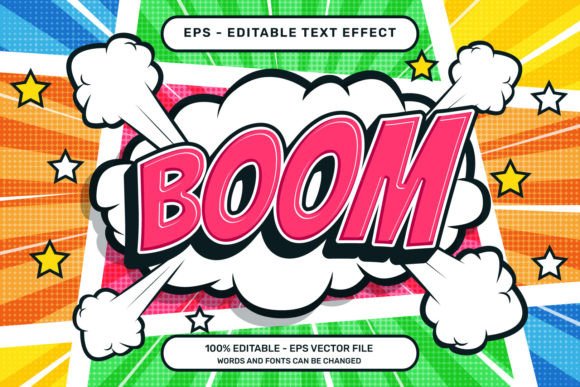
Mastering the Boom 3D Text Effect and Editable Text in Adobe Illustrator
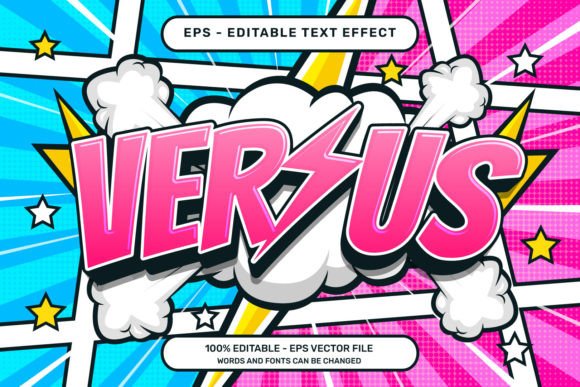
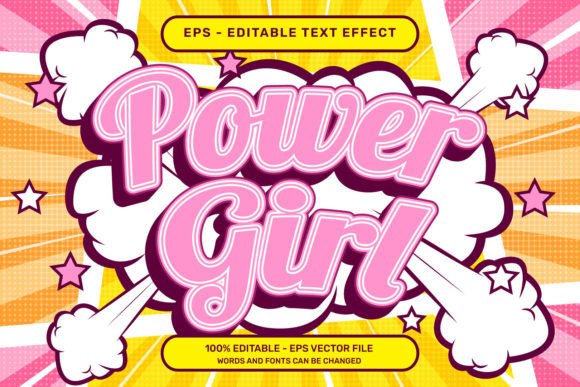
If you're looking to elevate your design projects with a dynamic, eye-catching aesthetic, the Boom 3D Text Effect and Editable Text in Adobe Illustrator might be exactly what you need. This versatile EPS file delivers a bold, comic-inspired 3D text effect enhanced with playful elements like ribbon bows and balloons. Whether you're designing for print, digital media, or branding, this effect adds a layer of creativity that’s both professional and fun.
What Makes the Boom 3D Text Effect Stand Out?
The Boom 3D Text Effect and Editable Text is more than just a flashy design—it's a practical tool for modern designers. Built using vector graphics, it ensures scalability without loss of quality, making it ideal for everything from social media graphics to large-scale posters. The comic and retro style design brings a nostalgic yet vibrant feel, perfect for projects targeting younger audiences or those aiming for a lighthearted tone.
- Vector-based format (.EPS) ensures clarity at any size
- Retro comic aesthetic with vibrant colors and playful illustrations
- Editable text allows for quick customization of messages and fonts
How to Use the Boom 3D Text Effect in Adobe Illustrator
One of the most appealing aspects of this design pack is its ease of use. Even if you're not an Adobe Illustrator expert, you can quickly incorporate the Boom 3D Text Effect into your projects. Here's how:
- Select the text layer you want to modify.
- Edit the text content or change the font style to match your project’s tone.
- Apply the effect by navigating to Window – Graphic Styles and selecting the desired 3D text style.
This workflow is especially useful for designers working on tight deadlines or needing to make frequent revisions. Since no additional textures, plugins, or actions are required, the process is streamlined and efficient.
Design Elements That Enhance Visual Appeal
What truly sets the Boom 3D Text Effect apart is the inclusion of illustrative elements like ribbon bows and balloons. These details add depth and whimsy, making your text the focal point of any layout. Whether you're creating a birthday invitation, a promotional poster, or a branded illustration, these visual accents help communicate joy, celebration, or energy.
The comic-style design also lends itself well to animation, editorial illustrations, and children's media. Its bold outlines and flat colors make it compatible with a wide range of color schemes and layout styles.
Why Choose the Boom 3D Text Effect for Your Next Project?
Here are a few reasons why this Adobe Illustrator resource is a must-have for both seasoned designers and newcomers:
- Time-saving – No need to build 3D effects from scratch
- High-quality output – The included 7000 x 4000 px .jpg preview ensures you can view and present your design in stunning detail
- Customizable – Editable text layers and graphic styles allow full control over appearance
- Compatibility – Works seamlessly within Adobe Illustrator without requiring third-party plugins
Applications Across Industries and Use Cases
The Boom 3D Text Effect and Editable Text isn't limited to a single niche. Its flexibility makes it suitable for a wide variety of design applications:
- Marketing and advertising – Create engaging headlines and promotional banners
- Event design – Ideal for birthday cards, party flyers, and event posters
- Editorial design – Enhance magazine covers, comic strips, or children’s book illustrations
- Web and UI design – Add a pop of color and dimension to website headers or app interfaces
Its retro-comic design also resonates well with brands that want to convey a sense of nostalgia or playfulness. Think of retro-themed restaurants, toy brands, or entertainment platforms—this effect can help them stand out in a crowded visual landscape.
Technical Details and File Structure
Each Boom 3D Text Effect package includes:
- Vector .EPS file – Perfect for scaling across different media formats
- High-resolution .jpg preview (7000 x 4000 px) – For quick viewing and client presentations
These files are designed to be fully self-contained. You won’t need to hunt for missing textures or install additional plugins. Everything you need is included, allowing you to focus on creativity rather than technical hurdles.
Maximizing the Impact of the Boom 3D Text Effect
To get the most out of this effect, consider the following tips:
- Pair with complementary fonts – Choose fonts that enhance the retro or comic vibe, such as bold sans-serif or hand-drawn typefaces
- Use in combination with flat design elements – The 3D effect works best when balanced with clean backgrounds and minimalistic layouts
- Experiment with color variations – Try recoloring the text or illustrations to match brand guidelines or seasonal themes
Also, don’t be afraid to layer the Boom 3D Text Effect with other design elements like shadows, glows, or animated transitions if you're working in a motion graphics context.
Final Thoughts
The Boom 3D Text Effect and Editable Text for Adobe Illustrator is more than just a design template—it's a creative tool that empowers designers to work smarter and more expressively. With its comic-retro style, intuitive customization options, and high-quality output, it’s a valuable asset for anyone looking to make their text stand out in a visually engaging way.
Whether you're a freelancer, a marketing professional, or a hobbyist designer, this effect can streamline your workflow and inspire fresh design ideas. And as the creators say, “We hope you guys have as much fun as we made this. THANK YOU!”